search | site map

Scott Granneman

panorama-116.jpg
  • Writing
    • Books
    • SecurityFocus
    • Linux Magazine
    • Others
    • Swings & Misses
  • Presentations
    • Interviews
    • Ladue Chapel
  • Teaching
    • Current Courses
    • Student Evaluations
    • Washington University
    • Webster University
    • St. Louis Community College
    • Archives
  • Web Development
    • Becoming a Web Developer
    • Coding
    • Programming
    • Editors
    • Web Browsers
    • Domains
    • Hosting
    • Graphics & Multimedia
    • Content
  • Tech Info
    • Background
    • Tools
    • Intellectual Property
    • Security
    • Email
    • Networking
    • Blogs, Podcasts, RSS
    • Search
    • Linux
    • Windows
    • Education
  • Personal
    • Work
    • Movies
    • Music
    • Reading
    • Poetry
    • Prose
    • Photos
    • Journals
    • Commonplace Book
    • Our Home
    • Opinions & Editorials
Home > Writing > Books

Books

On this page…

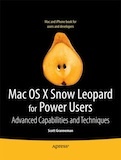
    Mac OS X Snow Leopard for Power Users
    Google-Apps-Deciphered-thumb.gif

    Mac OS X Snow Leopard for Power Users is for Mac OS X users who want to go beyond the obvious, the standard, and the easy. If want to dig deeper into Mac OS X and maximize your skills and productivity using the world’s slickest and most elegant operating system, then this is the book for you.

    Mac OS X Snow Leopard for Power Users helps you push Mac OS X to the max, unveiling advanced techniques and options that you may have not known even existed. Create custom workflows and apps with Automator, run Windows programs and even Windows itself without dual-booting, and sync data on your hard drive, on your phone, and in the cloud—learn all of these techniques and more.

    This is not a book that talks down to you; Mac OS X Snow Leopard for Power Users is an essential book for experienced Mac users who are smart enough to know there is more to be known, and are ready to become power users.

    What you’ll learn

    • How to create your own custom workflows, apps, and services with one of Mac OS X’s hidden gems: Automator.
    • How to share an external USB hard drive with a Windows and Linux users and mount a network drive using SSH
    • How to run Windows—or even Linux—while you’re still running Mac OS X, without dual-booting. Even run the three major operating systems—Mac OS X, Windows, and Linux—at the same time!
    • How to customize Safari to make it even better than it already is.
    • All about browser options—Chrome, Opera, Camino, Stainless, and Arora.
    • How to manage data on your hardrive, on your phone, and in the cloud, with almost instantaneous syncing.
    • How to protect yourself and your valuable data. Find out lots of great, useful info on firewalls, encryption, passwords, backup, and more.

    Read an excerpt at Google Books.

    Buy Mac OS X Snow Leopard for Power Users from Amazon!

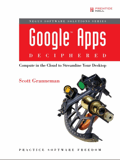
    Google Apps Deciphered: Compute in the Cloud to Streamline Your Desktop
    Google-Apps-Deciphered-thumb.gif

    Google Apps Deciphered is a guide to setting up Google Apps, migrating to it, customizing it, and using it to improve productivity, communications, and collaboration. I walk you through each leading component of Google Apps individually, and then show my readers exactly how to make them work together for you on the Web or by integrating them with your favorite desktop apps. I provide practical insights on Google Apps programs for email, calendaring, contacts, wikis, word processing, spreadsheets, presentations, video, and even Google’s new web browser Chrome. My aim was to collect together and present tips and tricks I’ve gained by using and setting up Google Apps for clients, family, and friends.

    Here’s the table of contents:

    1. Choosing an Edition of Google Apps
    2. Setting Up Google Apps
    3. Migrating Email to Google Apps
    4. Migrating Contacts to Google Apps
    5. Migrating Calendars to Google Apps
    6. Managing Google Apps Services
    7. Setting Up Gmail
    8. Things to Know About Using Gmail
    9. Integrating Gmail with Other Software and Services
    10. Integrating Google Contacts with Other Software and Services
    11. Setting Up Google Calendar
    12. Things to Know About Using Google Calendar
    13. Integrating Google Calendar with Other Software and Services
    14. Things to Know About Using Google Docs
    15. Integrating Google Docs with Other Software and Services
    16. Setting Up Google Sites
    17. Things to Know About Using Google Sites
    18. Things to Know About Using Google Talk
    19. Things to Know About Using Start Page
    20. Things to Know About Using Message Security and Recovery
    21. Things to Know About Using Google Video
    22. Appendix A: Backing Up Google Apps
    23. Appendix B: Dealing with Multiple Accounts
    24. Appendix C: Google Chrome: A Browser Built for Cloud Computing

    If you want to know more about Google Apps and how to use it, then I know you’ll enjoy and learn from Google Apps Deciphered.

    Read an excerpt: Five Things You Need to Know About Gmail.

    Translated into Chinese!

    Buy Google Apps Deciphered from Amazon!

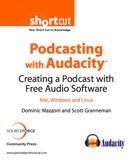
    Podcasting with Audacity: Creating a Podcast With Free Audio Software
    Podcasting-with-Audacity-thumb.jpg

    Audacity is universally recognized as the number one software program for creating podcasts. Hundreds of thousands of amateurs and professionals alike have created podcasts using Audacity.

    Podcasting with Audacity is designed to get you podcasting as quickly as possible. The first few chapters show you how to install Audacity, plug in your microphone, record your first podcast, and get it online as quickly as possible. The following chapters cover podcasting-specific topics, such as adding background music or conducting interviews. Finally, the remaining chapters focus on how Audacity works, with lots of tips and tricks to make complicated editing even easier.

    Read an excerpt: “Edit Your Podcast” is available on the Web or download a 950 KB PDF. An unedited version of the book is available under as a wiki under a Creative Commons license at the Audacity website.

    Buy Podcasting with Audacity from Amazon!

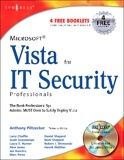
    Microsoft Vista for IT Security Professionals
    Vista-for-IT-Security-Pros-thumb.jpg

    Microsoft Vista for IT Security Professionals is designed for the professional system administrators who need to securely deploy Microsoft Vista in their networks. Readers will not only learn about the new security features of Vista, but they will learn how to safely integrate Vista with their existing wired and wireless network infrastructure and safely deploy with their existing applications and databases. The book begins with a discussion of Microsoft’s Trustworthy Computing Initiative and Vista’s development cycle, which was like none other in Microsoft’s history. Expert authors will separate the hype from the reality of Vista’s preparedness to withstand the 24 x 7 attacks it will face from malicious attackers as the world’s #1 desktop operating system. The book has a companion CD which contains hundreds of working scripts and utilities to help administrators secure their environments.

    This book is written for intermediate to advanced System administrators managing Microsoft networks who are deploying Microsoft’s new flagship desktop operating system: Vista. This book is appropriate for system administrators managing small networks of fewer than 10 machines up to enterprise-class networks with tens of thousands of systems. This book is also appropriate for readers preparing for the Microsoft exam MCDST 70-620.

    I contributed two appendices to this book:

    • Appendix A: Microsoft Vista: The International Community
    • Appendix B: Changes to the Vista EULA

    Appendix A, “Microsoft Vista: The International Community”, was about Microsoft’s legal troubles in Europe and Asia, and the changes the company had to make to Vista to accommodate those governments. Appendix B, “Changes to the Vista EULA”, explained that the EULA in Vista is even worse than that found in XP, which was worse than any previous EULA. In other words, Vista has a problematic EULA that users need to know about before they buy the OS.

    Read excerpts: Front Matter (350 KB PDF) and Chapter 1: Microsoft Vista: An Overview (760 KB PDF). You can flip through the entire book, although you’re limited to the total number of pages you can view (but it’s a pretty high number, like 50 or so).

    Buy Microsoft Vista for IT Security Professionals from Amazon!

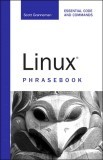
    Linux Phrasebook

    Linux-Phrasebook-thumb.jpg

    Linux Phrasebook is all about the Linux command line, and it’s perfect for both Linux newbies and experienced users. In fact, when I was asked to write the book, I responded, “Write it? I can’t wait to buy it!”

    The idea behind Linux Phrasebook is to give practical examples of Linux commands and their myriad options, with examples for everything. Too often a Linux user will look up a command in order to discover how it works, and while the command and its many options will be detailed, something vitally important will be left out: examples. That’s where Linux Phrasebook comes in. I cover a huge number of different commands and their options, and for every single one, I give an example of usage and results that makes it clear how to use it.

    Here’s the table of contents; in parentheses I’ve included some (just some) of the commands I cover in each chapter:

    1. Things to Know About Your Command Line
    2. The Basics (ls, cd, mkdir, cp, mv, rm)
    3. Learning About Commands (man, info, whereis, apropos)
    4. Building Blocks (;, &&, |, >, >>)
    5. Viewing Files (cat, less, head, tail)
    6. Printing and Managing Print Jobs (lpr, lpq, lprm)
    7. Ownerships and Permissions (chgrp, chown, chmod)
    8. Archiving and Compression (zip, gzip, bzip2, tar)
    9. Finding Stuff: Easy (grep, locate)
    10. The find command (find)
    11. Your Shell (history, alias, set)
    12. Monitoring System Resources (ps, lsof, free, df, du)
    13. Installing software (rpm, dkpg, apt-get, yum)
    14. Connectivity (ping, traceroute, route, ifconfig, iwconfig)
    15. Working on the Network (ssh, sftp, scp, rsync, wget)
    16. Windows Networking (nmblookup, smbclient, smbmount)

    I’m really proud of the whole book, but the chapter on the super-powerful and useful find command is a standout, along with the material on ssh and its descendants sftp and scp. But really, the whole book is great, and I’ll definitely be keeping a copy on my desk as a reference. If you want to know more about the Linux command line and how to use it, then I know you’ll enjoy and learn from Linux Phrasebook.

    Read an excerpt: Chapter Archiving and Compression.

    Translated into French, Polish, Russian, & Italian!

    Buy Linux Phrasebook from Amazon!

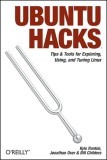
    Ubuntu Hacks

    Ubuntu-Hacks-thumb.jpg

    The Ubuntu distribution simplifies Linux by providing a sensible collection of applications, an easy-to-use package manager, and lots of fine-tuning, which make it possibly the best Linux for desktops and laptops. Readers of both Linux Journal and TUX Magazine confirmed this by voting Ubuntu as the best Linux distribution in each publication’s 2005 Readers Choice Awards. None of that simplification, however, makes Ubuntu any less fun if you’re a hacker or a power user.

    Like all books in the Hacks series, Ubuntu Hacks includes 100 quick tips and tricks for all users of all technical levels. Beginners will appreciate the installation advice and tips on getting the most out of the free applications packaged with Ubuntu, while intermediate and advanced readers will learn the ins-and-outs of power management, wireless roaming, 3D video acceleration, server configuration, and much more.

    I contributed 10 of the 100 hacks in this book, including information on the following topics:

    • Encrypt Your Email and Important Files
    • Surf the Web Anonymously
    • Keep Windows Malware off Your System
    • Mount Removable Devices with Persistent Names
    • Mount Remote Directories Securely and Easily
    • Make Videos of Your Tech-Support Questions

    I’ve been using K/Ubuntu for over a year (heck, it’s only two years old!), and it’s the best distro I’ve ever used. I was really excited to contribute my 10 hacks to Ubuntu Hacks, as this is defintely a book any advanced Linux user would love.

    Buy Ubuntu Hacks from Amazon!

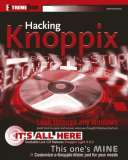
    Hacking Knoppix

    Hacking-Knoppix-thumb.jpg

    Knoppix is one of the great innovations in open source software in the last few years. Everyone that sees it wants to use it, since it is that rarest of software tools: the true Swiss Army Knife, capable of use by unsophisticated, experienced, and wizardly users, able to perform any of several hundred (if not thousand) tasks in an efficient and powerful way. Best of all, it’s super easy to employ, ultra-portable, and platform- and hardware-agnostic.

    Knoppix camps on your system without canceling out your regular installation or messing with your files. And it’s really fun to play with. Hacking Knoppix provides all kinds of ways to customize Knoppix for your particular needs, plus the scoop on various Knoppix distros. Learn to build a Knoppix first-aid kit for repairing cranky Windows and rescuing precious data, or create your own Live CD. In short, Hacking Knoppix will transform your ordinary powerless Knoppix-curious individual into a fearsome Knoppix ninja, able to right wrongs, recover data, and vanquish the forces of ignorance and Windows usage once and for all.

    Our approach in Hacking Knoppix is smart, detailed, and fun. We know our stuff, and we want our readers to understand and enjoy all the outrageously cool things that Knoppix makes possible. If a topic is kind of hard to understand, we’ll explain it so that lesser experienced readers get it and more experienced readers still learn something new; if a point needs in-depth explanation, we’ll give it in an interesting fashion; and if it needs a splash of humor to relieve the tedium, we’ll slip in something humorous, like a banana peel in front of Bill Gates.

    • Knoppix is an innovative Linux distribution that does not require installation, making it ideal to use for a rescue system, demonstration purposes, or many other applications
    • Shows hack-hungry fans how to fully customize Knoppix and Knoppix-based distributions
    • Readers will learn to create two different Knoppix-based live CDs, one for children and one for Windows recovery
    • Teaches readers to use Knoppix to work from a strange computer, rescue a Windows computer that won’t boot, repair and recover data from other machines, and more
    • Includes Knoppix Light 4.0 on a ready-to-use, bootable live CD

    Read sample excerpts, including Chapter Unraveling the Knoppix Toolkit Maze (1.7 MB PDF), the complete Table of Contents (135 kb PDF) & the Index (254 kb PDF).

    Buy Hacking Knoppix from Amazon!

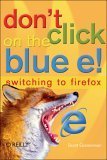
    Don’t Click on the Blue E!: Switching to Firefox
    Dont-Click-on-the-Blue-E-thumb.jpg

    For all those surfers who have slowly grown disenchanted with Microsoft’s Internet Explorer web browser, Don’t Click on the Blue E! from O’Reilly is here to help. It offers non-technical users a convenient roadmap for switching to a better web browser—Firefox.

    The only book that covers the switch to Firefox, Don’t Click on the Blue E! is a must for anyone who wants to browse faster, more securely, and more efficiently. It takes readers through the process step-by-step, so it’s easy to understand. Schools, non-profits, businesses, and individuals can all benefit from this how-to guide.

    Firefox includes most of the features that browser users are familiar with, along with several new features other browsers don’t have, such as a bookmarks toolbar and window tabs that allow users to quickly switch among several web sites. There is also the likelihood of better security with Firefox.

    All indications say that Firefox is more than just a passing fad. With USA Today and Forbes hailing it as superior to Internet Explorer, Firefox is clearly the web browser of the future. In fact, as it stands today, already 22% of the market currently employs Firefox for their browsing purposes.

    Don’t Click on the Blue E! has been written exclusively for this growing audience. With its straightforward approach, it helps people harness this emerging technology so they can enjoy a superior—and safer—browsing experience.

    Read two sample excerpts: Counteracting Web Annoyances (651 kb PDF) & Safety and Security (252 kb PDF).

    Translated into Japanese!

    Buy Don’t Click on the Blue E! from Amazon!

    Books That Didn’t Work Out

    Over the years, I’ve been asked to write, or at least contribute an outline for, some books that ultimately didn’t work out. In the interests of history, here are those outlines.

    • Open Source Gems
    • Linux Marvels
    • Outline for an Unpublished Linux Textbook

    Contact

    Email scott@granneman.com
    Voice 314-780-0489
    Address
    39 Summit Place
    St. Louis, MO 63119
    United States

    Work

    For work info, see WebSanity.

    All content, unless under a Creative Commons license, is © 1997- Scott Granneman.

    (Take a look around—a lot of content is licensed under a Creative Commons license, which gives YOU a lot of freedom to reuse my work.)

    facebook_32.png Facebook   twitter_32.png Twitter
    linkedin_32.png LinkedIn   friendfeed_32.png FriendFeed
    flickr_32.png Flickr   lastfm_32.png Last.fm
    youtube_32.png YouTube   rss_32.png RSS