
One of the most annoying features of Internet Explorer is smooth scrolling. If you've got smooth scrolling turned on, when you click the up or down arrow on a long Web page, IE jumps an entire screen at a time instead of just a few lines. This is disconcerting and rapidly frustrates many people.
Here's how to turn off smooth scrolling.
Open Internet Explorer and choose the Tools menu. Once the Tools menu is open, select Internet Options …

Once the Internet Options window is open, select the Advanced tab.
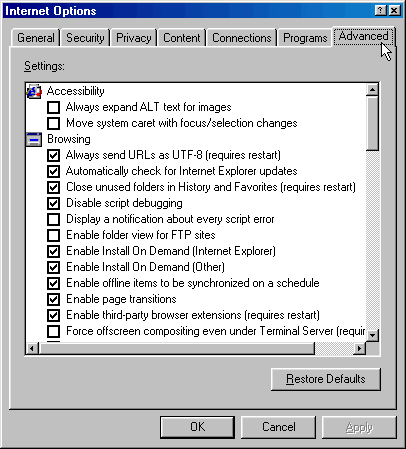
Scroll down the window to the end of the Browsing section until you see Use smooth scrolling. Uncheck the box next to Use smooth scrolling.
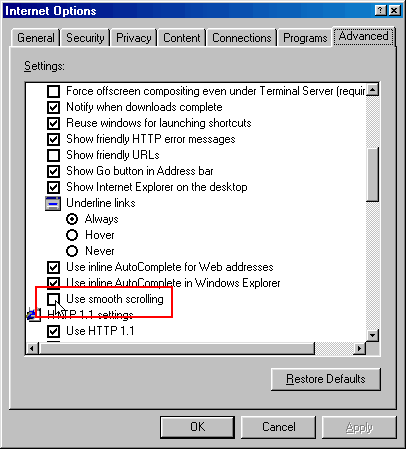
Once the box is unchecked, select OK to close the Internet Options window. You're done!